Underwater Fishing Camera Guide: How to Choose, Use, and Catch More Fish
Wondering if an underwater fishing camera is right for you? This complete guide explains how they work, how to choose the best model for your needs, and proven tips to use one effectively to find fish and improve your catch rates.
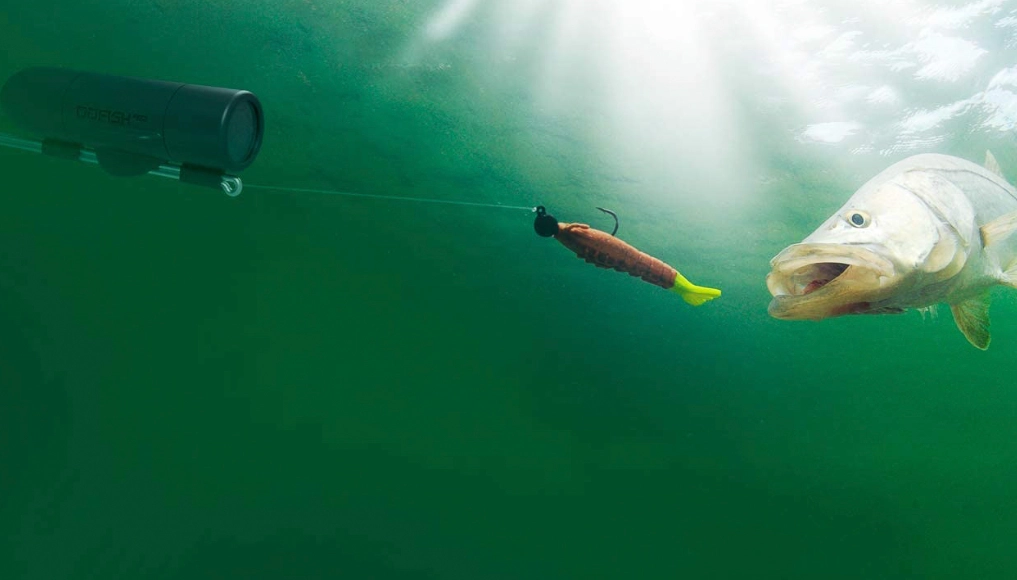
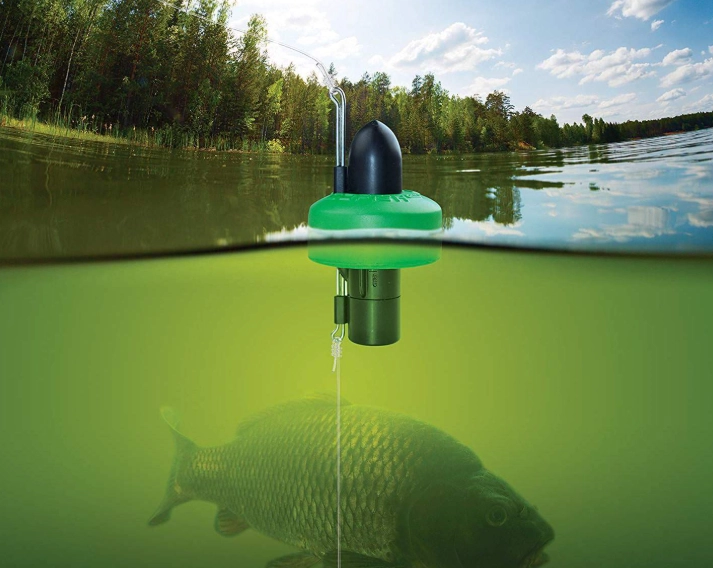
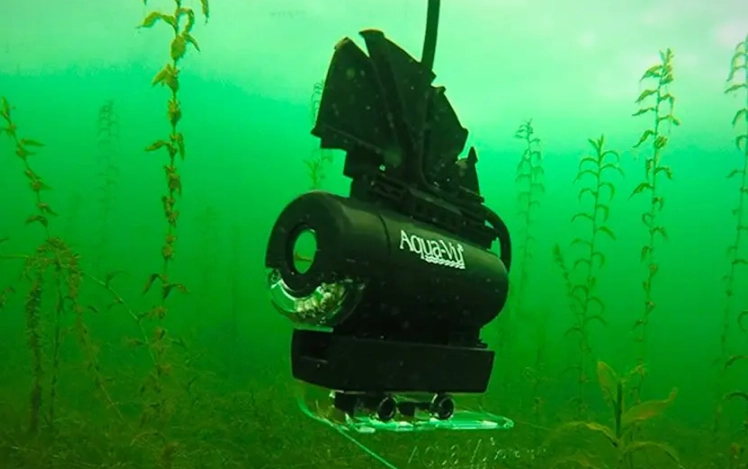
Let's be honest. Fishing involves a lot of guesswork. You're up top, the fish are down below, and you're basically hoping your lure passes in front of a hungry mouth. It's like playing darts in a dark room. Wouldn't it be amazing to just... turn on the lights and see what's really going on down there? That's the promise of an underwater fishing camera. I remember the first time I used one. I was ice fishing on a lake in Minnesota, convinced the spot I'd painstakingly drilled was a barren wasteland. Out of frustration, I dropped my little camera down the hole. The screen flickered to life, and there, just two feet off the bottom, was a school of decent-sized perch, lazily finning around my totally ignored jig. It was a revelation. I wasn't just fishing anymore; I was observing. And that observation led to a quick lure change and a full bucket. But here's the thing – not all underwater fishing cameras are created equal. Some are brilliant tools that change the game. Others are frustrating, blurry, cable-tangled messes that end up in the back of the garage. I've owned a few of both kinds over the years. This guide is my attempt to save you the headache and the money, and to show you how to use one of these gadgets to actually catch more fish. It's simpler than you might think. The core system has three parts: The principle is straightforward. You lower the camera to the depth you want to scout, turn it on, and watch. You can see bottom composition (sand, rocks, weeds), structure (sunken trees, drop-offs), and, of course, fish. You can watch how fish react to your bait in real-time. Do they approach? Do they spook? Do they just ignore it? This immediate feedback is incredibly powerful. Walking into a tackle shop or browsing online for an underwater fishing camera can be overwhelming. Specs are thrown around, prices range from "impulse buy" to "major investment," and everyone claims to have the best one. Let's cut through the noise. Your choice boils down to a few critical factors. Forget the marketing fluff for a second and ask yourself these questions: This is the biggest decider. I made the mistake early on of buying a bulky, boat-oriented system for ice fishing. Hauling that heavy monitor and battery out on the ice was a chore. Lesson learned. Not all specs are created equal. Here’s what you should really focus on: This is a growing trend. Instead of a dedicated monitor, the camera connects to a Wi-Fi transmitter that floats, and you use an app on your phone or tablet as the screen. The Good: It's incredibly convenient. You already have the screen (your phone), and it's a high-quality one. You can easily record video to your phone's storage. The systems are often more compact and affordable. The Not-So-Good: Lag. There can be a slight delay in the video feed, which is annoying when you're trying to track a fast-moving fish. It also drains your phone's battery, and if you get a call, it can interrupt your viewing. In bright sunlight, phone screens can be hard to see compared to a purpose-built, high-brightness monitor. I have one. For casual scouting from a dock or a pond, it's fantastic. For serious ice fishing where I need instant, reliable feedback, I still prefer my dedicated unit. Okay, you've got your shiny new underwater fishing camera. Now what? Throwing it overboard and expecting magic is a sure path to frustration. Here’s how to use it effectively. This is the primary use. You're not fishing yet; you're gathering intelligence. This is the advanced class, and it will make you a better angler, even when you're not using the camera. Drop your camera near your bait (but not so close it spooks fish). Now, watch. This real-time feedback is invaluable. It turns fishing from superstition into science. You learn what "looks right" to a fish. Let's pump the brakes for a second. An underwater fishing camera isn't a magic wand. It has real limitations, and ignoring them will lead to disappointment. Water Clarity is Everything. This is the #1 factor. In chocolate-milk water with less than a foot of visibility, even the best camera is useless. It needs light to travel through the water and bounce back. If the water is full of silt, algae, or tannins, your range is severely limited. As a rule of thumb, if you can't see your lure more than 2-3 feet down, a camera won't help much. It Can Spook Fish. The camera itself is a foreign object. The cable can create vibration. The lights, especially bright white ones, can scare wary species like trout or clear-water bass. You have to use it judiciously. Sometimes, the best tactic is to scout an area, then pull the camera up and fish it clean. It's Another Thing to Manage. Fishing has enough tangles and gear. Adding a camera with a cable, a monitor, and a power source is more complexity. In a small boat or on a crowded ice sheet, it can be a hassle. The learning curve isn't just about using it, but about integrating it smoothly into your fishing routine. I'll be blunt: in very murky water, my camera stays in the box. It's dead weight. And in super-clear, high-pressure lakes, I often use it only for initial scouting, then put it away to avoid spooking skittish fish. It's a tool for specific conditions, not a universal solution. An underwater fishing camera isn't for every angler. If you're a casual once-a-month fisher who just enjoys being out, it might be more gadget than you need. But if you're the type who lies awake thinking about lure choices, who studies lake maps, who wants to understand the *why* behind the catch (or the lack of one), then it can be one of the most enlightening pieces of gear you'll ever own. It won't always put more fish in the boat directly. Sometimes it will just confirm that, yeah, there's nothing down there. But that knowledge is power. It stops you from wasting hours in an unproductive spot. It turns mystery into information. Start by thinking about where and how you fish most. Be brutally honest about water clarity in your local spots. Set a budget. Maybe try a friend's first. If you do take the plunge, spend time learning it. Don't just use it to gawk at fish; use it to learn their habits. So, is it worth it? If you're curious, if you love tech, and if you fish in clear enough water, the answer is a resounding yes. Just go in with your eyes open—both to its amazing potential and its very real limits.Quick Guide

How Does an Underwater Fishing Camera Actually Work?
Choosing Your Underwater Fishing Camera: A Buyer's Maze
What's Your Primary Fishing Environment?
Key Features That Matter (And Some That Don't)
Feature
Why It Matters
What to Look For
Camera Resolution
Determines how clear and detailed the image is. This is probably the most important spec.
1080p (Full HD) is the sweet spot. 720p can be acceptable, especially on a small screen. 4K is overkill for most units and drains battery fast.
Viewing Angle
How wide a field of view the camera sees. Wider isn't always better.
110-150 degrees is typical. A wider angle lets you see more area but can create a "fisheye" distortion. A narrower angle gives a more natural, zoomed-in view.
Cable Length & Quality
Dictates your maximum depth. The cable is also a major point of failure.
Match length to your needs (50ft is a good all-rounder). Look for a cable with a steel braid or kevlar reinforcement. The cheap, thin cables kink and fail.
Lighting System
Essential for seeing anything in murky water or low light.
Adjustable brightness is a must. Systems with both IR and white LED lights offer the most flexibility. More LEDs generally mean better illumination.
Monitor Quality
A bad screen ruins a good camera.
Sunlight-readable screens are a game-changer for boat or ice fishing. Look for good brightness and contrast ratings.
Battery Life
Nothing worse than it dying mid-scout.
Aim for at least 6-8 hours of real-world use. Removable/rechargeable batteries are preferable to built-in ones.

The Smartphone Connection: App-Based Cameras
How to Use an Underwater Fishing Camera: It's Not Just "Drop and Watch"
Scouting and Finding Fish
Observing Fish Behavior & Lure Reaction
Practical Setup Tips & Tricks
Limitations and Realistic Expectations
The Bottom Line: Should You Get One?
Frequently Asked Questions (The Stuff You Actually Want to Know)