Quick Guide
- How Does a Fish Finder Actually Work? It's All About Sound.
- Navigating the Fish Finder Market: Which Type is Right for You?
- What to Look For When Buying a Fish Finder: The Feature Breakdown
- Getting the Most From Your Unit: Installation and Interpretation Tips
- Common Fish Finder Questions (And Straight Answers)
- Wrapping It Up: From Confusion to Confidence
Let's be honest. For years, I thought a fish finder was just a fancy screen that showed blobs and maybe, if you were lucky, told you how deep the water was. I'd see guys on fancy boats staring intently at their units and figured it was mostly for show. Then I spent a season fishing without one, relying on old landmarks and guesswork, while my buddy with his hummingbird kept pulling in bass from spots that looked utterly dead to me. That's when it clicked. This isn't about replacing skill; it's about giving your eyes superpowers underwater.
A fish finder, at its heart, is your underwater scout. It cuts through the murk and the mystery, showing you what's really down there. But here's the catch – and I learned this the hard way – not all fish finders are created equal, and owning one doesn't automatically fill your cooler. You need to know how they work, what to look for when buying, and crucially, how to interpret what you're seeing. Otherwise, you're just driving around staring at a pretty, expensive graph.
This guide is the one I wish I had.
We're going to skip the overly technical jargon and marketing fluff. I'll walk you through the core technology, break down the different types of units, and give you my straight opinion on what features are worth your money and which ones you can probably skip. We'll also get into the nitty-gritty of actually using the thing – because that's where most people, including my past self, get stuck.
How Does a Fish Finder Actually Work? It's All About Sound.
Forget fancy lasers or cameras (for now). The vast majority of fish finders use sonar. It's a simple but brilliant concept. The unit sends a sound wave (a "ping") down into the water through a part called the transducer, which is usually mounted on your transom or trolling motor. When that sound wave hits something – the bottom, a weed bed, a school of shad, or a lone bass – it bounces back.
The transducer listens for that echo. The fish finder's brain then calculates how long the echo took to return, which tells it how far away the object is (the depth). The strength of the return signal gives it an idea of the object's density. A hard bottom like rock gives a strong, thick return. A soft, muddy bottom gives a weaker one. A fish's air bladder is a great sound reflector, so it shows up clearly.
It's like echolocation. Bats do it. Dolphins do it. And now you can do it too. The National Oceanic and Atmospheric Administration (NOAA) has a great, simple resource on how sonar works if you want the pure science from the pros.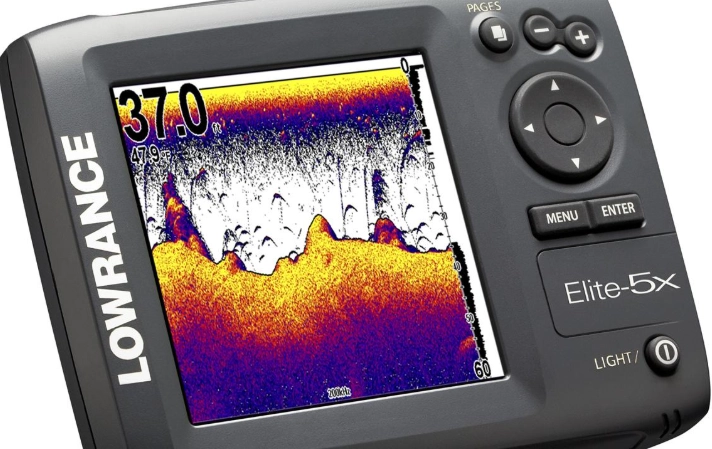
Navigating the Fish Finder Market: Which Type is Right for You?
This is where it gets overwhelming. Standalone, combo, networked, portable... the options are endless. Based on what I've seen and used, they really break down by the core sonar technology they use. This is the most important choice you'll make.
The Big Three: Traditional, CHIRP, and Imaging Sonars
Not all pings are equal. The type of sound wave your fish finder sends down makes a world of difference in what you see on screen.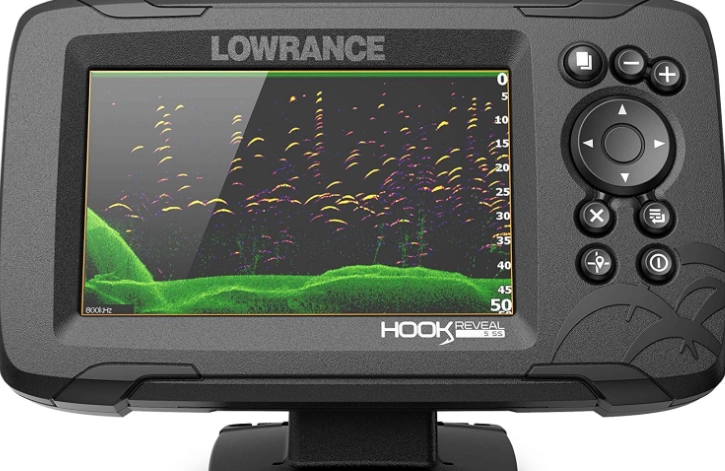
| Sonar Type | How It Works | What You See (The Good) | The Trade-Offs (The Not-So-Good) | Best For... |
|---|---|---|---|---|
| Traditional (2D) Sonar | Sends a single, fixed frequency (e.g., 200 kHz). The classic. | A clean, reliable view directly under the boat. Great for depth, bottom hardness, and basic fish arches. Simple to read. | Lower detail. Can struggle in very deep water or to separate close objects. The view is a narrow "cone" directly below. | Beginners, budget-conscious anglers, basic depth and fish finding. |
| CHIRP Sonar | Sends a sweeping range of frequencies (e.g., 150-250 kHz) in a single ping. | Massively better detail and target separation. You see clearer fish arches, can distinguish baitfish from gamefish, and get a crisper view of bottom structure. | More expensive than traditional. Requires a CHIRP-capable transducer and unit. | Almost every serious angler. This is the modern standard for good reason. |
| Side Imaging / Down Imaging | Uses focused, high-frequency beams to the sides (Side) or directly down (Down), creating a picture-like scan. | Photo-like detail of structure. You can see individual tree limbs, rocks, and fish holding on cover. SideScan lets you cover a huge area to the left and right. | Best when the boat is moving. Can be complex to interpret at first (fish look like dots or streaks). Less effective for watching a single spot while stationary. | Locating specific structure (brush piles, roadbeds), covering water quickly, advanced scouting. |
| Live Scanning Sonar (e.g., Garmin LiveScope, Humminbird MEGA Live) | Sends a real-time, sweeping beam that updates many times per second, like an underwater ultrasound. | You see fish swimming in real-time. Watch a bass approach your lure and react. Unmatched for vertical fishing, dock shooting, and understanding fish behavior. | Very high cost. Complex setup with separate transducer. Can feel like "cheating" to some (a debate for another day). High power draw. | Tournament anglers, tech enthusiasts, anyone wanting the absolute cutting edge in real-time intel. |
My personal journey went from a basic traditional unit, to a CHIRP fish finder (a game-changer), and I recently added a Livescope setup. The jump to CHIRP was the single most noticeable improvement. Suddenly, those vague blobs turned into distinct arches, and I could actually tell the difference between a cluster of bait and a few bigger fish hanging below them.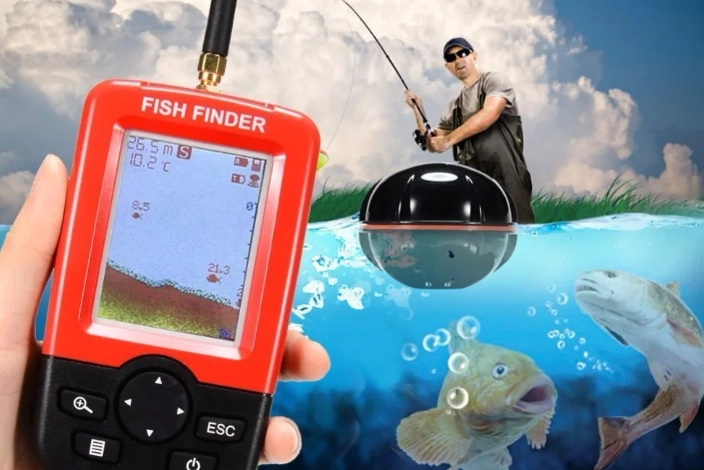
What to Look For When Buying a Fish Finder: The Feature Breakdown
Okay, so you're leaning towards a CHIRP model. Great choice. Now, walking into a store or browsing online, you're hit with a wall of specs. Screen size, power, frequency... what actually matters?
Let's break down the key specs into plain English.
- Screen Size & Resolution: Bigger and sharper is better, but it costs more. A 5-inch screen is manageable on a kayak or small boat. For a console where you'll also run maps, 7-inch or 9-inch is a sweet spot. Resolution (e.g., 800x480) matters more than just size—a higher-res screen shows more detail. My first unit had a tiny, pixelated screen, and on a sunny day, it was almost impossible to see the details. Frustrating.
- Power (Watts RMS): Think of this as your unit's shouting power. More watts means a stronger signal that can penetrate deeper water and give clearer returns in rough conditions. For freshwater lakes under 150 feet, 500W is often plenty. For deep saltwater or the Great Lakes, you'll want 1000W or more.
- Frequency (kHz): This is the pitch of the sound wave. High frequency (e.g., 455/800 kHz for imaging) gives incredible detail but in a narrower cone. Perfect for seeing fine structure. Low frequency (e.g., 50/83 kHz) covers a wider cone area, great for searching in deep water, but with less detail. Many good fish finders now offer dual or even triple frequencies so you can switch views.
- GPS & Mapping: This is almost non-negotiable today. A fish finder with built-in GPS lets you mark waypoints ("Fish here!"), create routes, and most importantly, use detailed lake maps. Seeing the underwater contour lines on your screen while also seeing your sonar reading is a massive advantage. You can buy pre-loaded maps or use community-shared ones like Humminbird's AutoChart Live.
- Transducer: This is the heart of the system! The unit is just the display. Pay close attention to which transducer comes bundled. A cheap unit with a premium transducer can outperform an expensive unit with a basic one. Make sure it's suited for your boat type (transom mount, trolling motor mount, thru-hull).
You might be wondering, "What's the best fish finder brand?" Honestly, the big three – Garmin, Humminbird, and Lowrance – all make excellent products. It often comes down to which user interface you prefer and what ecosystem (maps, accessories) you want to buy into. I've used Humminbird and Garmin extensively. Humminbird's menu felt more intuitive to me at first, but Garmin's LiveScope pulled me into their camp.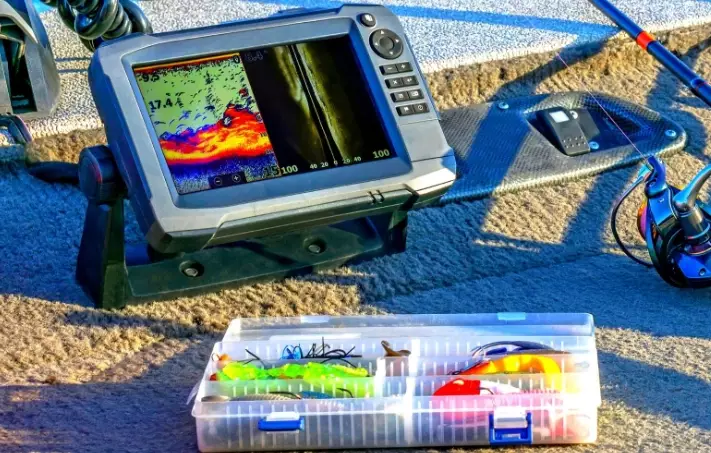
Getting the Most From Your Unit: Installation and Interpretation Tips
You've bought it. Now the real work begins. A poorly installed or misconfigured fish finder is worse than useless—it gives you bad information.
Installation is Key
The transducer must have a clean flow of water. Bubbles or turbulence from your hull will create a mess of noise on your screen. For a transom mount, follow the instructions carefully regarding height. Too high, and it'll lose bottom at speed. Too low, and it might catch on things. On my old aluminum boat, I had to add a small piece of starboard to create a flat mounting surface because the hull curve was causing spray. It made a huge difference in clarity at planing speeds.
Also, run your power cables cleanly and directly to the battery if possible, using a fuse. Avoid splicing into other wiring to prevent electrical interference, which can show up as random lines or static on your display.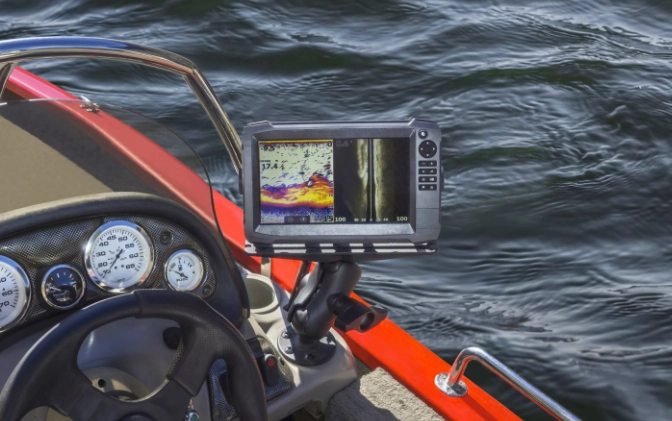
Learning to Read the Screen
This is the art form. You're not looking for a cartoon fish icon (turn those off, by the way). You're reading shapes and signals.
- Fish Arches: The classic sign. As you drive over a fish, it enters the cone, is directly under the boat (the thick top of the arch), and then exits. A perfect arch means the fish is stationary in the water column. Messy arches or lines often mean baitfish schools.
- The Bottom Line: A thin, hard line means a firm bottom (rock, clay). A thick, softer line means mud or silt. Any bumps, spikes, or protrusions above the bottom line are structure—a stump, a rock pile, submerged grass.
- Suspenders: Lines or dashes hanging in the middle of the water column. These are fish that aren't on the bottom. Cruising bass or walleye often show up like this.
- Clouds or Balls: Usually baitfish schools. They'll often have larger arches (predators) lurking below or around them.
Adjust your sensitivity! Don't just leave it on "Auto." On a calm day in shallow water, turn it down to clean up the screen. In deep water or to see faint bait, crank it up. Play with the color palette too. Some people see better detail with a grayline or a blue/red scheme.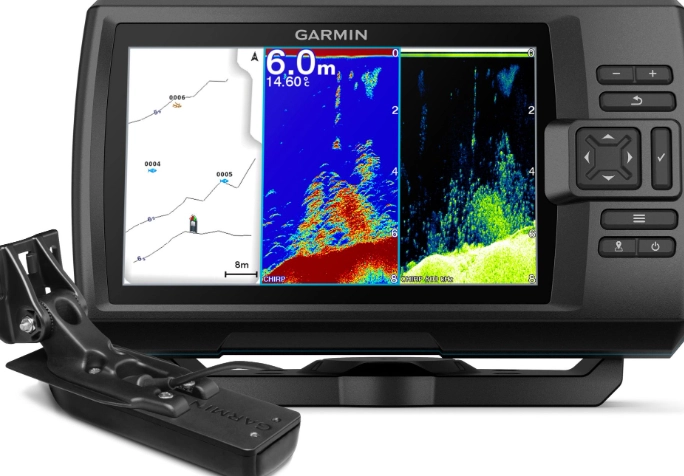
Common Fish Finder Questions (And Straight Answers)

Wrapping It Up: From Confusion to Confidence
Choosing and using a fish finder doesn't have to be a headache. Start by understanding the sonar technology—prioritize CHIRP. Match the unit's features to your primary fishing style (deep lake trolling vs. shallow bass fishing). Don't cheap out on the installation; take your time to get it right.
Then, practice. Go to a familiar spot and just watch the screen. Identify the bottom you know is there. Drop a jig and watch it fall. Mark waypoints on productive areas. The learning curve is part of the fun.
A good fish finder won't catch fish for you. But it will eliminate an enormous amount of guesswork, turn unproductive water into a quick "no," and reveal hidden worlds where fish live. It makes you a more efficient, knowledgeable, and ultimately, more successful angler. And that's the whole point, isn't it?
Now get out there and put those new underwater eyes to work.
Reader Comments