In This Guide
- What a Fishing GPS Actually Does (Beyond Telling You Where You Are)
- Choosing Your Fishing GPS: A No-BS Feature Breakdown
- Head-to-Head: A Look at Popular Fishing GPS Combos
- From Box to Boat: Setting Up & Using Your GPS for Real Results
- Common Questions Fishermen Ask About Fishing GPS Units
- Maintenance & Troubleshooting: Keeping It Running Smooth
- Wrapping It Up: Your Next Steps
Let's be honest for a second. How many times have you come back from a trip empty-handed, wondering where all the fish went? You know the spots, you've got the gear, but something's missing. I've been there, staring at a blank sonar screen, feeling like I'm just guessing. It's frustrating.
That changed for me a few seasons back when I finally stopped thinking of a fishing GPS as a fancy electronic and started treating it like the crew member it's supposed to be. It wasn't an overnight thing. I made mistakes, bought units with features I never used, and got lost in menus more complicated than some video games. But once it clicked, my time on the water transformed.
This guide is what I wish I had back then. We're not just going to list specs. We're going to talk about what actually matters when you're bouncing in a chop, your hands are wet, and you need to find that drop-off before the weather turns. We'll dig into the tech, sure, but we'll also talk about the simple habits that make a fish finder GPS worth every penny.
Sound good? Let's get into it.
What a Fishing GPS Actually Does (Beyond Telling You Where You Are)
If you think a fishing GPS is just for keeping you off the rocks, you're only seeing half the picture. Maybe less. Modern units are hubs. They're your navigator, your underwater scout, and your fishing logbook, all fused into one screen.
The core idea is layering information. You've got your chart—the map of the bottom. On top of that, you layer the real-time view from your sonar—the actual fish and structure right now. Then you can drop waypoints on productive spots, track your trolling paths, and even see the water temperature overlay. It's this combo that's powerful.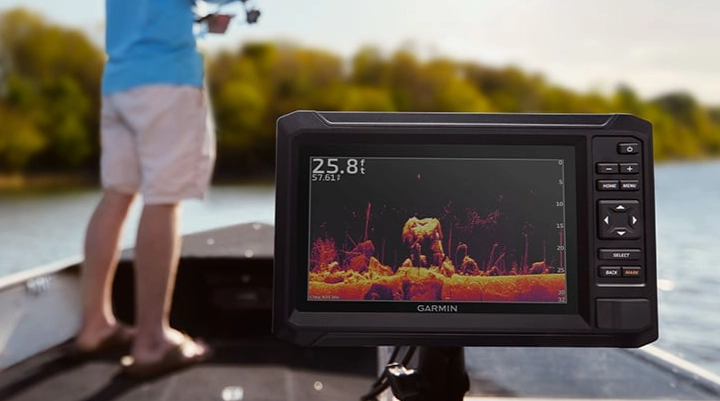
The real magic happens when navigation meets discovery. You use the GPS to get to a general area (say, a known hump). Then you use the sonar to scan and find the specific rock pile or bait school on that hump. You mark it with a push of a button. Now, that spot is saved forever. Next time, the GPS guides you back to within a few feet, and your sonar confirms you're on the money. It turns luck into a repeatable process.
I remember trying to describe a hotspot to a buddy before I used one. "Uh, it's near the big red buoy, about three casts towards the dead tree on shore." Useless. Now I just share the waypoint. Pinpoint accuracy.
The Heart of the System: Understanding Sonar & Mapping
This is where people's eyes glaze over, but stick with me. You don't need to be an engineer, but knowing the basics helps you buy and use the right tool.
First, sonar. You've got a transducer that pings sound waves down. They bounce off stuff (the bottom, fish, logs) and come back. The unit paints a picture with those echoes. The old way was a single frequency. The new standard is CHIRP (Compressed High-Intensity Radiated Pulse). Instead of one *ping*, it sends a sweeping range of frequencies. The result? Crazy detail. You can distinguish a gamefish from a baitfish, see individual branches on a submerged tree, and get a much clearer bottom reading. If you're buying new, get CHIRP. It's not a gimmick.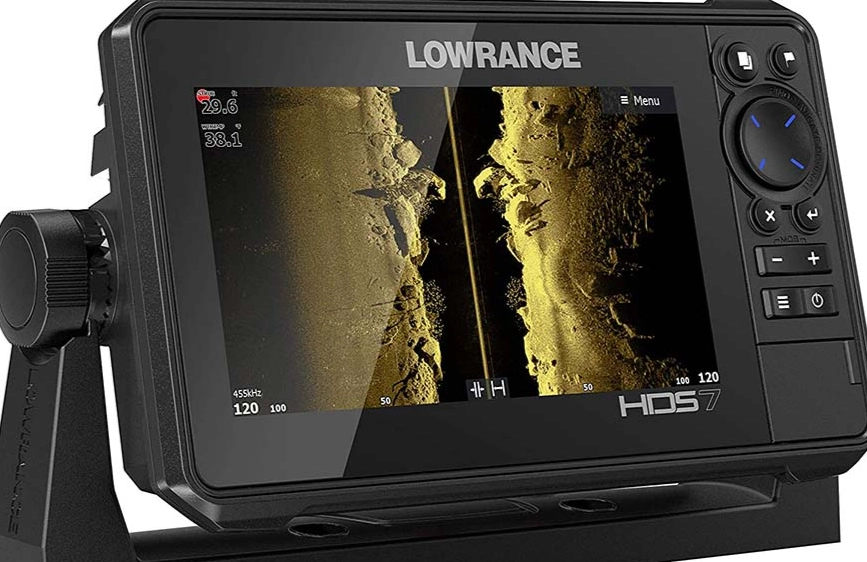
Then there's mapping. There are two main types:
- Pre-loaded Cartography: Think of these like the base map on your car's GPS. They show shorelines, major depths, and maybe some known hazards. They're okay, but often lack the detail for serious fishing. Brands like Garmin and Navionics sell much more detailed regional maps.
- Live Mapping (or AutoChart Live): This is a game-changer. As you drive your boat, the unit uses its sonar to build its own map of the bottom beneath you. No detail is too small. I've mapped out entire local lakes this way, finding ditches and rock piles that aren't on any commercial chart. It turns your fishing GPS from a passive viewer into an active explorer.
Which brings me to a quick rant. Some manufacturers charge a fortune for their premium lake maps. And sometimes, those maps are years out of date, especially in reservoirs that fluctuate. Live mapping sidesteps that entirely. You're making your own, current, hyper-accurate chart.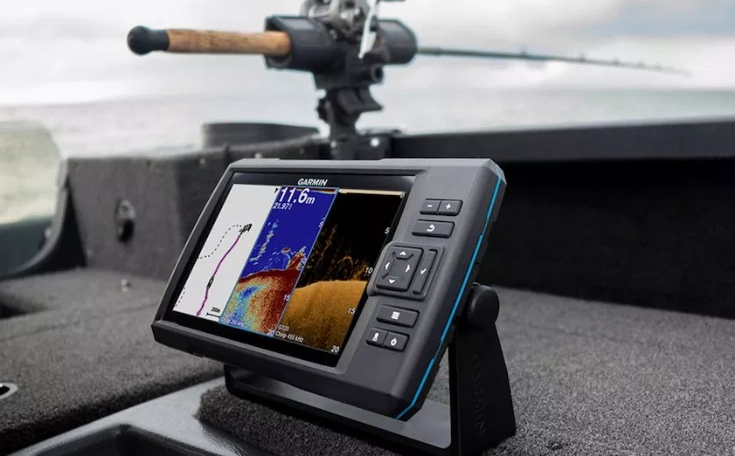
Choosing Your Fishing GPS: A No-BS Feature Breakdown
Walking into a store or browsing online is overwhelming. Screens from 4 inches to 16 inches. A alphabet soup of acronyms. Let's cut through the noise. Here’s what you should actually care about, in rough order of importance.
My #1 Tip: Start by being brutally honest about how and where you fish. A kayak angler in skinny rivers has completely different needs than a guy running 50 miles offshore for tuna. Buying for a fantasy trip you might take once is how you end up with an overpriced, underutilized unit.
Screen Size & Readability
Bigger is usually better, but only up to a point. On a small boat, a massive 12-inch screen can be a hazard. On a big console, a 5-inch screen is squint-city.
Sunlight readability is the killer feature here, not raw size. You need a high-brightness, anti-glare screen. Look for specs measured in nits (1000+ is good for bright sun). A dim screen is useless at high noon. Touchscreen vs. buttons? Touch is intuitive for menus and mapping, but physical buttons are a lifesaver when it's raining, you're wearing gloves, or the boat is bouncing. Many high-end models offer both, which is the sweet spot.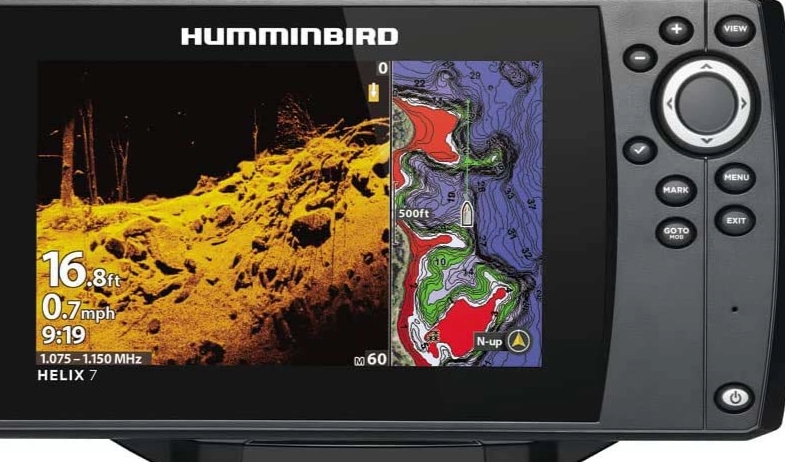
Sonar Power & Technology
Transducer power (measured in watts) matters for depth and clarity. More power pushes a clearer signal deeper. For most freshwater and near-shore saltwater, 500-1000 watts RMS is plenty. If you're going deep for lake trout or offshore, look for 1kW, 2kW, or even 3kW.
Beyond basic CHIRP, there are specialized views:
- SideVu/DownVu/SideScan: This tech sends beams out to the sides, giving you a photographic-like image of the bottom structure to your left and right. It's incredible for finding isolated stumps, roadbeds, and schools of fish holding off to the side. It revolutionized how I search for bass.
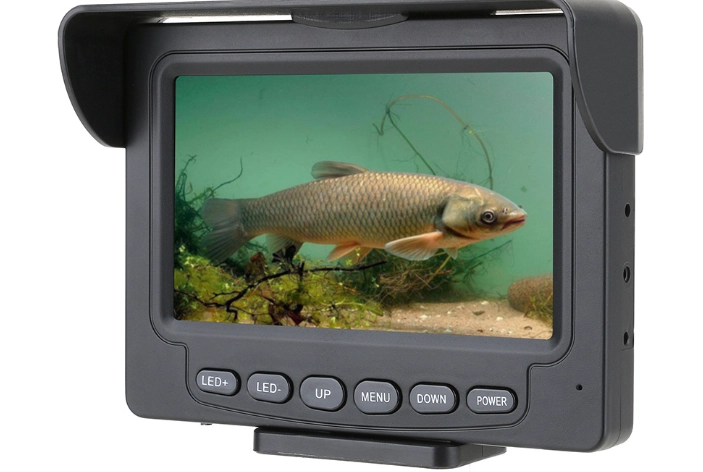
- LiveScope/GPS Live: This is the cutting edge. It's real-time, forward-looking sonar. You can see your lure falling, see a fish turn and follow it, watch a bass flare its gills before it bites. It's almost like video game cheating. It's also expensive and has a steep learning curve. Amazing? Yes. Necessary for everyone? Absolutely not.
Honestly, I didn't "get" Livescope for the first month I had it. I was just watching fish ignore my bait in real time! It took practice to learn how to use that intel to trigger strikes.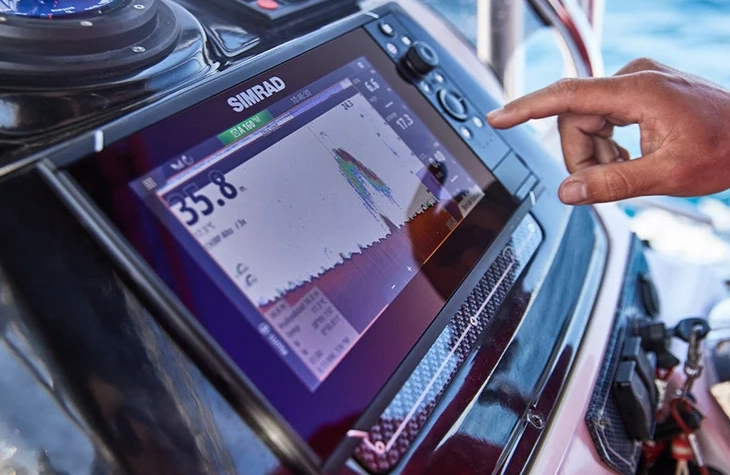
Mapping & Networking
Does it have a slot for a pre-loaded map card? Does it support live mapping out of the box? Can it network with other units on the boat? Networking lets you put a transducer on the trolling motor and see that view on the console screen, or share waypoints between units. It's a huge convenience.
Check what mapping software it uses. Garmin has their proprietary Garmin Navionics+. Humminbird uses LakeMaster or AutoChart. Lowrance uses C-MAP or their own Genesis. Some are better in certain regions than others. A quick search for "best maps for [your lake/region]" can point you in the right direction.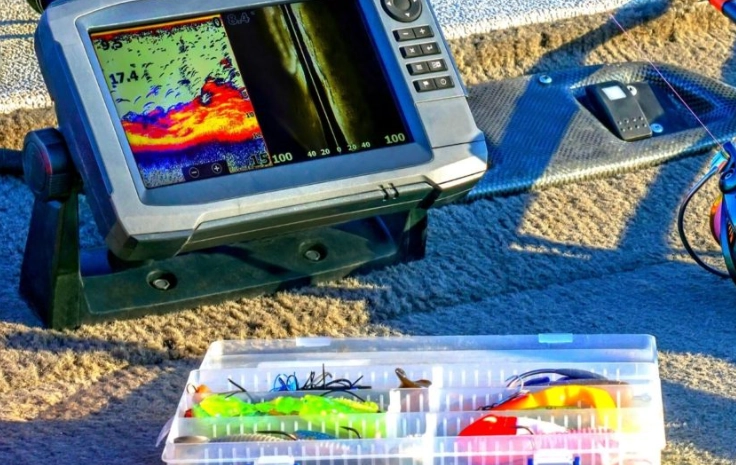
Head-to-Head: A Look at Popular Fishing GPS Combos
It's one thing to talk features, another to see them side-by-side. Here's a quick, real-world look at some popular categories. These aren't the only options, but they give you a framework to compare.
| Model Type | Best For | Key Strengths | A Consideration |
|---|---|---|---|
| Garmin ECHOMAP UHD 73sv | Anglers wanting a great all-in-one package without breaking the bank. | Includes GT54UHD transducer with SideVu. Built-in Quickdraw Contours live mapping. Bright, responsive touchscreen. Excellent user interface. | The pre-loaded U.S. lake map is very basic. You'll likely want to buy a Garmin Navionics+ card for your region for best results. |
| Humminbird HELIX 7 CHIRP MEGA SI GPS G4 | Those who prioritize mega-imaging side scan for finding structure. | MEGA Side Imaging is arguably the clearest in its class. Compatible with rich LakeMaster maps. Rugged build quality. | The menu system can feel a bit clunky compared to newer touchscreen interfaces. Buttons are sturdy but not as fast for navigation. |
| Lowrance HOOK2 Reveal 7 TripleShot | Budget-conscious beginners who want a simple start. | Extremely user-friendly. The "Reveal" fish identification is helpful for newbies. Comes with a triple-shot transducer (DownScan, SideScan, CHIRP). Great value. | It's a bit more basic. Networking and advanced features are limited. The screen brightness is adequate but not class-leading. |
| Garmin ECHOMAP Ultra 106sv | The serious angler or offshore fisherman who wants maximum screen real estate and top-tier tech. | Massive 10" display. Can be bundled with Panoptix LiveScope. Powerful processor for smooth operation with multiple sonar views. Robust construction. | This is a serious investment. You're paying for premium performance and size. Make sure you have the console space for it. |
See, it's not about which one is "the best." It's about which one is best for you. The Humminbird's imaging might win on a shallow, structure-filled lake. The Garmin's interface might be better for someone who hates complicated tech. The Lowrance is a fantastic first step into the world of fish finder GPS combos.
From Box to Boat: Setting Up & Using Your GPS for Real Results
Okay, you've got your shiny new unit. Now what? Don't just slap it on the dash and hope. A good setup is 40% of the battle.
Mounting the Transducer: This is critical. If it's not shooting through clean water, your readings will be garbage. For transom mounts, the general rule is to have it in undisturbed water, level with or slightly below the hull bottom. Read the manual! A bad mount causes bubbles (aeration) that look like a constant cloud of interference on your screen. I learned this the hard way after a sloppy install had me thinking the entire lake was full of algae.
Initial Settings: Start with the factory defaults. Then, on the water, adjust your sensitivity (or gain) until you see a clean bottom line and good detail without a ton of speckled "noise." Turn on the A-scope or real-time sonar bar if you have it. It's a narrow strip that shows you exactly what's under the boat right this second, invaluable for seeing fish as you pass over them.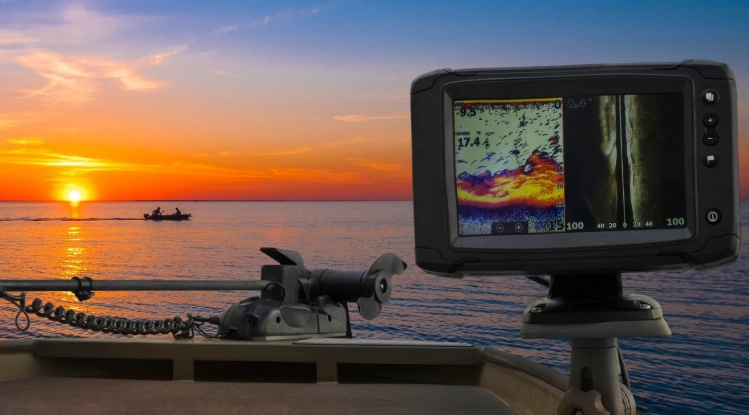
The Art of the Waypoint
This is your bread and butter. See a great brush pile? Waypoint. A sudden depth change where you got a bite? Waypoint. A buoy marking a reef? Waypoint.
My system is simple: I name waypoints with a code. "BP" for brush pile. "RCK" for rock. "DC15" for a drop-off from 10 to 15 feet. At the end of the season, I review and delete the unproductive ones. It's like curating your own personal treasure map.
Don't just mark the spot. Mark the approach. If you're drifting over a reef, mark where you started getting bites and where you lost them. That gives you a drift line. Next time, use your fishing GPS to follow that same line.
Interpreting What You See (Common Misconceptions)
Myth #1: Every arch is a fish. Nope. A perfect arch is created when a fish swims through the entire cone angle of your sonar. Lots of things can look like arches—debris, air bubbles, even thermoclines. Look for defined shapes with a brighter center (the swim bladder).
Myth #2: A thick, hard bottom line means rocks; a soft, wider line means mud. Generally true, but not always. Your sonar's settings can change how the bottom looks. Use the down-imaging or side-imaging view to confirm. Rocks are jagged and reflective. Mud is smoother and less distinct.
Look for fish symbols near structure (the bottom hump, the edge of a weed line) or near baitfish (a cloud of smaller marks). Fish are rarely just suspended in a featureless void.
And here's a subtle one: pay attention to how the fish are oriented. Are they tight to the bottom (maybe inactive)? Are they suspended off to the side of structure (often more active)? Your fishing GPS is giving you behavioral clues.
Common Questions Fishermen Ask About Fishing GPS Units
Maintenance & Troubleshooting: Keeping It Running Smooth
These things are tough, but they're not indestructible. A little care goes a long way.
Keep the screen clean with a soft, damp cloth (no harsh chemicals). Check the transducer mount periodically for looseness. Corrosion is the enemy—use dielectric grease on all electrical connections, especially in saltwater.
Common Issues:
- No Depth Reading/Weird Readings: 90% of the time, it's a transducer issue. Is it fouled with weeds or mud? Is it mounted too high, catching air? Is the water dirty with a lot of suspended silt? Clean it and check the mount.
- Poor GPS Signal: Make sure the antenna has a clear view of the sky. Are you under a bridge or tight against a cliff? It might take a minute to reconnect.
- Screen Freezes: Try a soft reset (usually holding the power button). If it persists, check for software updates on the manufacturer's website. Installing the latest update often fixes bugs.
For official technical specifications, software updates, and installation manuals, always refer to the manufacturer's website. It's the most reliable source. For example, you can find Garmin's marine support center at Garmin Support, or Humminbird's resources at Humminbird Support. For understanding nautical charts and official navigation data in the US, the National Oceanic and Atmospheric Administration (NOAA) provides a wealth of free, authoritative information at NOAA Nautical Charts.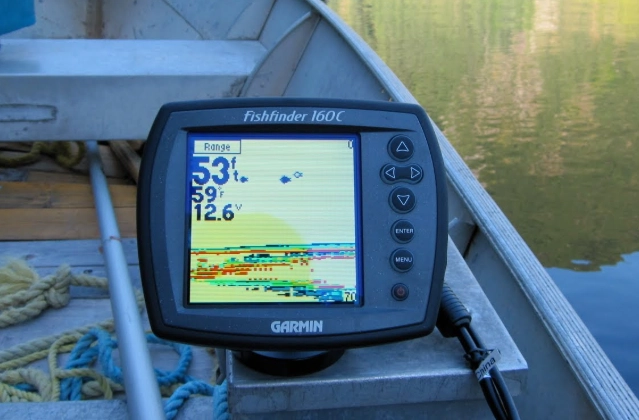
Wrapping It Up: Your Next Steps
Look, a fishing GPS isn't a magic wand that fills the boat. It's a tool. A powerful, intelligent tool that gives you information. What you do with that information—the lure you choose, the presentation you make—that's still on you.
But it takes the biggest variable—"Where are the fish?"—and gives you a fighting chance to answer it. It saves fuel, saves time, and turns random exploration into efficient hunting.
Start simple.
Learn to mark a waypoint. Get comfortable reading the basic sonar view. Practice coming back to your mark from different directions. The fancy stuff—side scan, live mapping, LiveScope—can come later. Master the fundamentals first.
The water is a big place. A good fishing GPS makes it feel a little smaller, a little more known. And that's a feeling that never gets old. Now go get your lines wet.
Reader Comments